


The best eSIM for New Zealand is a data plan that matches how long you stay. For a week, a small New Zealand plan is enough. For a two or three week road trip, pick 20 GB or 50 GB. Visiting Australia on the same trip? An Oceania eSIM covers both countries with one plan. You install the eSIM at home and it connects when you land in Auckland, Christchurch or Queenstown. This guide compares the eSIMs for New Zealand sold on SimOptions by trip length, data and coverage, using the current plan details on our New Zealand eSIM page, and tells you honestly what signal to expect on the South Island and in remote areas.
Short on time? Here are three New Zealand plans for three typical trips: one week, two weeks and a month.
New Zealand 10GB (7 days) · New Zealand 20GB (15 days) · New Zealand 50GB (30 days) · all data only · See all eSIMs for New Zealand
Quick comparison: eSIMs for New Zealand
SimOptions sells two kinds of prepaid eSIMs that work in New Zealand. Here is how they compare.
| New Zealand plans | Oceania plans | |
|---|---|---|
| Countries | New Zealand only | Australia and New Zealand |
| Data | 1 GB to 100 GB | 1 GB to 30 GB |
| Validity | 3 to 180 days | 7 days (1 GB), 30 days (3 GB and up) |
| Speed | 4G and 5G | 4G/LTE |
| Phone number | No, data only | No, data only |
| Top-ups | Yes | Yes |
| Best for | Trips to New Zealand only | Trips to Australia and New Zealand |
The New Zealand plans come in 1 GB or 3 GB for 3 days, 5 GB or 10 GB for 7 days, 20 GB for 15 days, 50 GB for 30 days, 60 GB for 90 days and 100 GB for 180 days.
Every plan is prepaid with no contract. You get your eSIM by email as a QR code. Once installed, it activates automatically when you arrive in a covered country. If you don't use it within a year of buying it, it expires.
Which eSIM is best for your New Zealand trip?
Start with how many days you stay. Then ask yourself two questions: do you also visit Australia, and do you need a local phone number?
A week or less: New Zealand 5GB or 10GB
For a few days in Auckland, a stopover or a short trip to Queenstown, a small plan covers maps, messages, bookings and browsing. The 5 GB and 10 GB plans last 7 days. For a quick 3-day stop, the 1 GB and 3 GB plans fit. If you run low, you can top up.
Two weeks on the road: New Zealand 20GB
The classic trip, a few days in the north and a loop around the South Island, usually means long drives with maps running and lots of photos to share. New Zealand 20GB gives you 20 GB for 15 days, and you can top it up.
Three weeks to a month: New Zealand 50GB
Doing both islands slowly, or travelling in a campervan? New Zealand 50GB lasts 30 days, so a 3 or 4 week trip fits in one plan. It also leaves room to share your connection with a travel partner or a laptop.
A long stay: New Zealand 60GB or 100GB
Studying, working remotely or starting a working holiday? New Zealand 60GB lasts 90 days and New Zealand 100GB lasts 180 days, so you don't need a new eSIM every month. If you settle down for longer, a local plan with a New Zealand number may suit you better.
You need a New Zealand phone number
All our New Zealand and Oceania plans are data only. You can still call and text with WhatsApp, FaceTime or iMessage, see how to make calls with a data-only eSIM. If you need a local +64 number, for example to book tours by phone, One NZ, Spark and Skinny sell visitor eSIMs that come with one. Our guide to eSIM providers in New Zealand explains how each one works.
Visiting Australia too? One eSIM for both countries
Many New Zealand trips start or end in Sydney or Melbourne. A New Zealand plan only works in New Zealand. The Oceania plans cover Australia and New Zealand, so you install one eSIM and stay online on both sides of the Tasman Sea.
- Oceania 5GB, 10GB or 20GB: 30 days in Australia and New Zealand. Data only, 4G/LTE, top-ups available.
- Two country plans: a New Zealand plan plus an Australia plan. When we checked, a New Zealand plan plus an Australia plan of the same size cost less than one Oceania plan. But the 5 GB and 10 GB country plans last only 7 days, the Oceania plans last 30 days, and you only install one eSIM.
So for a long trip across both countries, Oceania is the simple choice. If you spend only a few days in each country, two small country plans with 5G can work out better.
Oceania 5GB, 10GB and 20GB (30 days, data only, Australia and New Zealand) · See all Oceania eSIMs or the Australia page
Coverage in New Zealand: cities, roads and the South Island
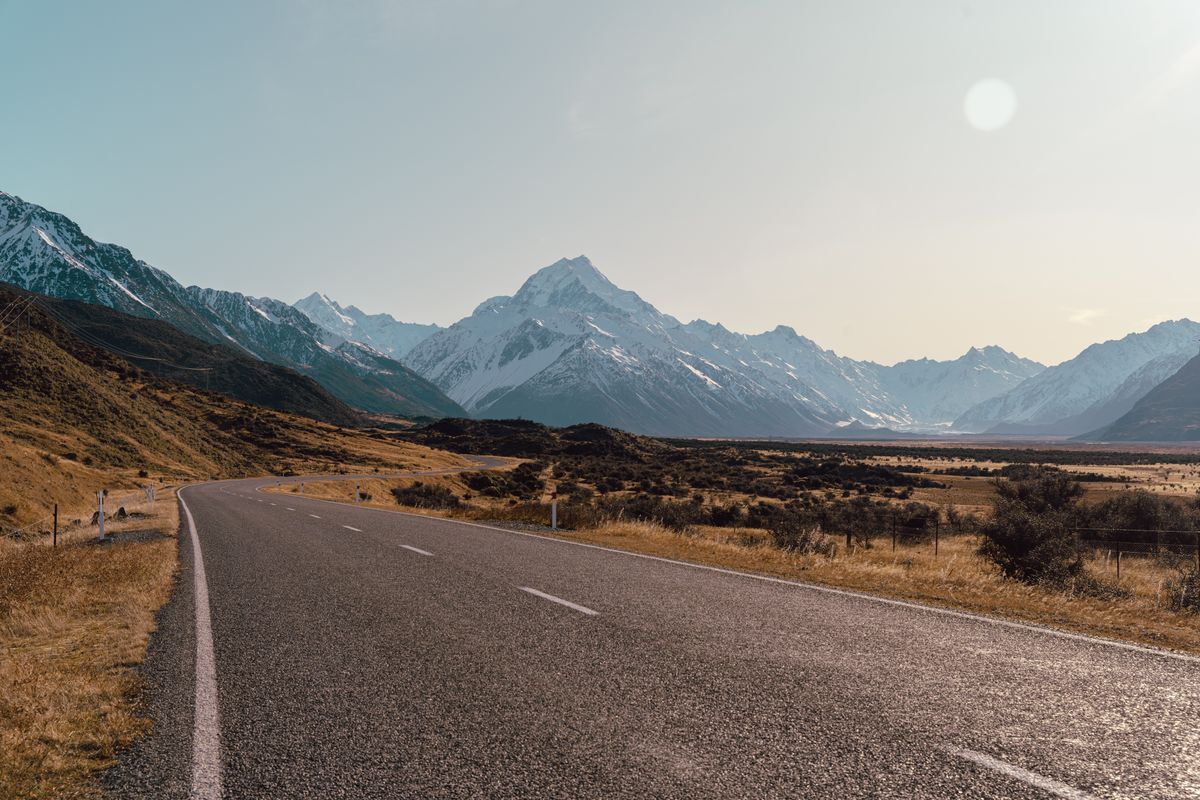
Here is what to expect, so you can plan around it.
- Cities and towns: in Auckland, Wellington, Christchurch, Queenstown and other towns, you can expect a good connection. 2degrees, for example, says 4G is available in most places where New Zealanders live and work (2degrees: Network coverage).
- Main roads: coverage on rural state highways has improved. The Rural Connectivity Group, a government programme backed by Spark, One NZ and 2degrees, says it added coverage along more than 1,000 km of rural state highways and at more than 100 tourist spots (Rural Connectivity Group). But you can still drive through stretches with no signal, like much of the road to Milford Sound.
- Fiordland and Milford Sound: the Department of Conservation says mobile coverage is limited outside Te Anau and patchy on the way to Milford Sound. There is an emergency satellite phone at the Homer Tunnel (DOC: Milford Road tips for drivers).
- Hiking tracks and the backcountry: expect no signal on most multi-day walks. No eSIM can fix that, because there are no towers. DOC recommends carrying a registered distress beacon if you head outdoors (DOC: Know before you go).
Before a road trip, download offline maps for the regions you'll drive through, and check the coverage maps of the networks for the places you plan to stay, like the One NZ coverage map. In an emergency, dial 111.
How much data do you need in New Zealand?
On a New Zealand trip, you'll use data for maps on long drives, weather forecasts, booking campsites, ferries and activities, and sharing photos. As a rough guide:
- 3 to 7 days: 3 GB to 10 GB for maps, messages and some browsing.
- 7 to 15 days: 10 GB to 20 GB, enough for social media, photos and some video calls.
- 15 to 30 days: 20 GB to 50 GB, or more if you stream or work online.
Travelling as a couple in a campervan and sharing one connection? Our New Zealand eSIM page says hotspot sharing is supported. Hotspot uses data fast, so go a size up. More in our guide on what a hotspot costs.
Where you'll use your eSIM in New Zealand
The five places from our original guide, with what to know before you go. For more ideas, see our New Zealand holiday guide.
Fiordland and Milford Sound
Fiordland National Park covers over 1.2 million hectares in the southwest of the South Island and is a World Heritage Area (DOC: Fiordland National Park). On the Milford Track, a side trip of about 1 hour 30 minutes return takes you to Sutherland Falls, which drop 580 m in three leaps (DOC: Milford Track). Driving to Milford Sound for a cruise? Download your maps and tickets in Te Anau, since signal is limited after that.
Tongariro National Park
In the centre of the North Island, Tongariro is New Zealand's oldest national park and a dual World Heritage area, for its volcanic landscape and its Māori cultural and spiritual associations (DOC: Tongariro National Park). Its best-known hike, the Tongariro Alpine Crossing, is 20.2 km one way and takes 7 to 8 hours in summer. Parking at the road ends is limited to 4 hours in summer, so DOC suggests booking a shuttle. From May to October, alpine skills are essential and DOC says it's best to go with a guide (DOC: Tongariro Alpine Crossing).
Queenstown
Queenstown sits on Lake Wakatipu, surrounded by mountains. It is a base for skiing, mountain biking, hiking and lake cruises. Nearby, the Kawarau Bridge is where AJ Hackett and Henry van Asch set up their commercial bungy jump in 1988, 43 metres above the Kawarau River (AJ Hackett Bungy: Kawarau Bridge). Most activities here are booked online, so data on your phone helps.
Auckland
Auckland, on the North Island, is New Zealand's biggest city. For the view, go up the Sky Tower, on the corner of Victoria and Federal Streets. It stands 328 metres tall, and from its 186-metre viewing level you can see up to 80 km in every direction (SkyCity: Sky Tower). Your eSIM connects as soon as you land, so you can order a ride or check the bus to the city before you leave the airport.
Paihia and the Bay of Islands
Paihia is a small town on the Bay of Islands, in Northland. The bay is a marine mammal sanctuary, with restrictions that protect its dolphins and whales from boats and people (DOC: Bay of Islands Marine Mammal Sanctuary). The Waitangi Treaty Grounds are 2 km from Paihia, about a 25-minute walk (Waitangi Treaty Grounds: How to get here). Their museum tells the story of the Treaty of Waitangi, signed in 1840 (Museum of Waitangi).
Do you need a travel eSIM for New Zealand?
You have three ways to get online in New Zealand:
- Roaming with your home plan: easy, but your carrier sets the price and the data allowance in New Zealand. Check both before you fly, whether you come from the US, the UK, Australia or Canada.
- A local visitor eSIM: One NZ, Spark and Skinny sell eSIMs for visitors with a New Zealand number. You buy online and activate them in New Zealand. See eSIM providers in New Zealand.
- A travel eSIM: data only, installed at home before you fly, and connected when you land. Your home SIM stays on your phone for texts and security codes.
If you mostly need maps, messages and bookings, a travel eSIM is the quickest option: no shop, no activation call, and no roaming bill.
Is your phone compatible?
Your phone must support eSIM and be unlocked. Dial *#06#: if you see an EID number, your phone supports eSIM. On iPhone, eSIM works on the iPhone XS, XS Max, XR and later (Apple: Using Dual SIM with an eSIM). For Android phones, see our guide to checking eSIM compatibility.
Your phone also needs 4G or 5G. New Zealand closed its last 3G networks in April 2026 (NZ Telecommunications Forum: 3G shutdown complete). Any phone recent enough to support eSIM has 4G, so this mostly matters for an old backup phone.
How to set up your eSIM for New Zealand
- Buy your plan and get your QR code by email.
- Install it at home on Wi-Fi before you fly. Step-by-step help: how to install an eSIM and Apple's guide to setting up eSIM on iPhone.
- Label the line "New Zealand" or "Travel" so you can tell it apart from your home line.
- When you land, the eSIM connects automatically. Choose it as your line for mobile data and turn on data roaming for it. On iPhone, go to Settings > Cellular (or Mobile Data) > Cellular Data and pick the travel eSIM (Apple: Using Dual SIM with an eSIM).
- Turn off data roaming on your home line, so it can't use data abroad.
No signal after you arrive? Our guide on what to do when your eSIM is not activating walks you through the fixes.
FAQs
What is the best eSIM for New Zealand?
It depends on your trip. For a week, New Zealand 5GB or 10GB. For two weeks, New Zealand 20GB. For three weeks to a month, New Zealand 50GB. For a long stay, New Zealand 60GB or 100GB. If you also visit Australia, an Oceania plan.
What is the best eSIM for Australia and New Zealand?
An Oceania plan, since a New Zealand plan doesn't work in Australia. Oceania 5GB, 10GB and 20GB cover both countries for 30 days, data only.
What is the best eSIM for Queenstown?
Any New Zealand plan works in Queenstown. Pick the size for your whole trip. If you drive on to Milford Sound, expect limited signal after Te Anau.
Does an eSIM work on the South Island?
Yes, in towns and on most main roads. In Fiordland, on mountain passes and on remote hiking tracks, signal can be patchy or missing on every network, so download offline maps before you go.
Can I get a New Zealand phone number with a travel eSIM?
Not with the SimOptions plans, which are data only. For a +64 number, choose a visitor eSIM from One NZ, Spark or Skinny.
Do I need an app to use an eSIM in New Zealand?
No. You install the eSIM from the QR code we email you, in your phone's settings. Once it's installed, it works like any other mobile line.
Can I use my New Zealand eSIM as a hotspot?
Yes. Our New Zealand eSIM page says hotspot sharing is supported, which helps on a campervan trip. Pick a bigger plan if you share your data.
Can I top up my New Zealand eSIM?
Yes. The New Zealand and Oceania plans can both be topped up if you run low.
Can I keep my own number and WhatsApp?
Yes. On a dual SIM phone, your home line stays on next to the travel eSIM. WhatsApp keeps your usual number and works over the eSIM's data.