



The best travel apps are the ones that solve a real problem on the road: finding your way, understanding the language, booking where to sleep and getting online the moment you land. You don't need fifty apps. You need one or two per job, set up before you leave. This guide lists must-have travel apps for 2026 by category, with what each one does, what is free and what needs a subscription, and which ones work offline. Every app here was checked on the App Store and Google Play in November 2026.
Best travel apps at a glance
- Trip planning: TripIt, Wanderlog, Tripadvisor
- Maps and offline navigation: Google Maps, Organic Maps, Citymapper, Moovit
- Translation: Google Translate, DeepL, Apple Translate
- Flights: Skyscanner, Hopper, Flighty, your airline's app
- Stays and all-in-one booking: Booking.com, Airbnb, Hostelworld, Expedia, Trip.com
- Getting around: Rome2rio, Omio, Uber, Bolt, Grab, Roadtrippers
- Money: Xe, Wise
- Safety and health: your phone's emergency features, official travel advice, Timeshifter
- Staying connected: the SimOptions eSIM app, WhatsApp
Trip planning and itinerary apps
A planning app keeps your flights, hotels and plans in one place, so you're not digging through emails at the airport.
TripIt
TripIt builds one itinerary from your booking confirmations. You forward your flight, hotel, car and activity emails, and TripIt sorts them into a timeline you can share. The free app covers the itinerary. TripIt Pro is a paid subscription that adds real-time flight alerts, gate reminders, a seat tracker, alternate flight options and check-in reminders. It's on iPhone and Android.
Wanderlog
Wanderlog is a free planner with an optional Pro subscription. You add places to a day-by-day plan and see them on a map, import reservations by forwarding emails, track a budget and split costs. Friends can edit the same trip in real time, and you can open your plans offline. It's also handy for road trips: you can add unlimited stops for free and optimize the route. Planning with a group? See our guide to the best group travel apps.
Tripadvisor
Tripadvisor is where you read traveler reviews of hotels, restaurants and things to do. You can save places, build a trip and book hotels and tours in the app. With Tripadvisor Rewards, eligible bookings earn Trip Cash for future trips.
Maps and offline navigation apps

A map app is the one you'll open most. Download your maps before you go, so they still work when you have no signal.
Google Maps
Google Maps gives you driving, walking and public transport directions in many cities. You can download an area on Wi-Fi and use it offline. Offline driving directions work if your whole route is inside the downloaded map, but you don't get traffic, and transit, walking and cycling directions aren't available offline (Google Maps Help: Download areas and navigate offline).
Organic Maps
Organic Maps is a free map app built on OpenStreetMap that works fully offline, including search and navigation. It's good for hiking trails, small towns and places where Google's offline maps fall short. There are no ads and no account.
Citymapper and Moovit
For buses, metros and trains inside a city, a transit app often beats a general map. Citymapper compares ways to get across town, from metro to bike share, with step-by-step directions, in the cities it covers. Moovit shows real-time arrivals and service alerts, and lets you buy tickets in some cities. Check that your destination city is covered before you rely on either one.
Translation apps
A translation app helps you read menus, signs and messages, and have a simple conversation. Download the languages you need before you travel.
Google Translate
Google Translate supports up to 249 languages for text. Point your camera at a sign to translate it, or use conversation mode to talk with someone in two languages. You can download languages to translate offline (Google Translate Help: Download languages to use offline). Feature support varies by language.
DeepL
DeepL translates typed text, photos, speech and your camera view in real time. It supports fewer languages than Google Translate, so check yours first.
Apple Translate
On iPhone, the built-in Translate app translates text, voice, camera images and in-person conversations (Apple Support: Translate words and phrases on iPhone). It's already on your phone, so it's worth trying before you download anything else.
Flight apps: find, track and check in

Skyscanner
Skyscanner compares flight prices across airlines and travel agencies, plus hotels and car rentals. Its "Everywhere" search shows cheap destinations when you're flexible. You book with the airline or agency you pick. Not sure which to choose? Read booking through an airline or a third party.
Hopper
Hopper books flights, hotels, homes and rental cars. You can watch a trip and get a notification when it predicts it's a good time to buy. Hopper also sells optional add-ons such as flexible cancellation, so read what you're paying for.
Flighty
Flighty tracks your flights with live data, delay and gate predictions and a "where's my plane" view of your inbound aircraft. The free version includes unlimited flight tracking, and Flighty Pro adds earlier disruption alerts, calendar sync and email or TripIt import. All Pro features are free for your first flight (Flighty pricing). It's only on iPhone, iPad, Mac and Apple Watch.
Your airline's app
For mobile check-in and boarding passes, your airline's own app is the most direct option. It's usually where you'll get rebooking offers first if a flight is delayed or canceled.
Booking apps for stays and all-in-one trips
Many booking apps now do more than hotels. If you want one app for flights, stays, cars and activities, these are the big ones.
Booking.com
Booking.com lists hotels, apartments and other stays, and also sells flights, car rentals, taxis and attractions. Most properties offer free cancellation, but always check the conditions of the rate you pick. You can message your property in the app.
Airbnb
Airbnb is for renting a whole home or a private room, which suits families, groups and longer stays. Each host sets their own cancellation policy. Not sure what to book? Compare hostel vs hotel vs Airbnb.
Hostelworld
Hostelworld is built for hostels, with reviews from other travelers and city chats to meet people before you arrive. It's a good fit for solo travelers and backpackers.
Expedia and Trip.com
Expedia and Trip.com are all-in-one booking apps for flights, hotels, car rentals and activities, and Expedia also sells flight and hotel packages. They are handy if you like to manage the whole trip in one app. One catch: when something goes wrong with a flight, you usually deal with the booking app, not the airline directly.
Getting around: trains, buses, rides and road trips

Rome2rio
Rome2rio answers one question: how do I get from here to there? Type any two places and it shows the options by train, bus, ferry and plane, with rough times and prices. It covers more than 240 countries and territories, and it's part of the Omio Group. Use it to plan, then check times and prices with the operator before you book.
Omio
Omio compares and sells train, bus, flight and ferry tickets from more than 3,000 companies in Europe, the UK, the US, Japan, Southeast Asia and Brazil. Your tickets stay in the app.
Uber, Bolt and Grab
Ride-hailing apps show the price before you ride, so you avoid haggling with taxis. Which one works depends on where you go:
- Uber works in many cities around the world.
- Bolt runs in more than 850 cities, mostly in Europe and Africa, plus some in Asia and the Middle East.
- Grab is the main ride app in much of Southeast Asia, including Singapore, Thailand, Vietnam, Malaysia, Indonesia and the Philippines.
To ride safely, check that the plate and driver match the app, sit in the back and share your trip with someone you trust. Most ride apps have built-in safety tools for this.
Roadtrippers
Roadtrippers helps you plan a road trip and find places to stop on the way, from national parks to quirky roadside sights and campgrounds. It's built mainly for the US and Canada. The free plan allows 3 stops per trip. The paid plans (Basic, Pro and Premium) add more stops and saved trips, and Premium adds features like offline maps and live traffic. For a simple trip, Wanderlog (above) and Google Maps also let you plan multi-stop routes for free.
Money and currency apps
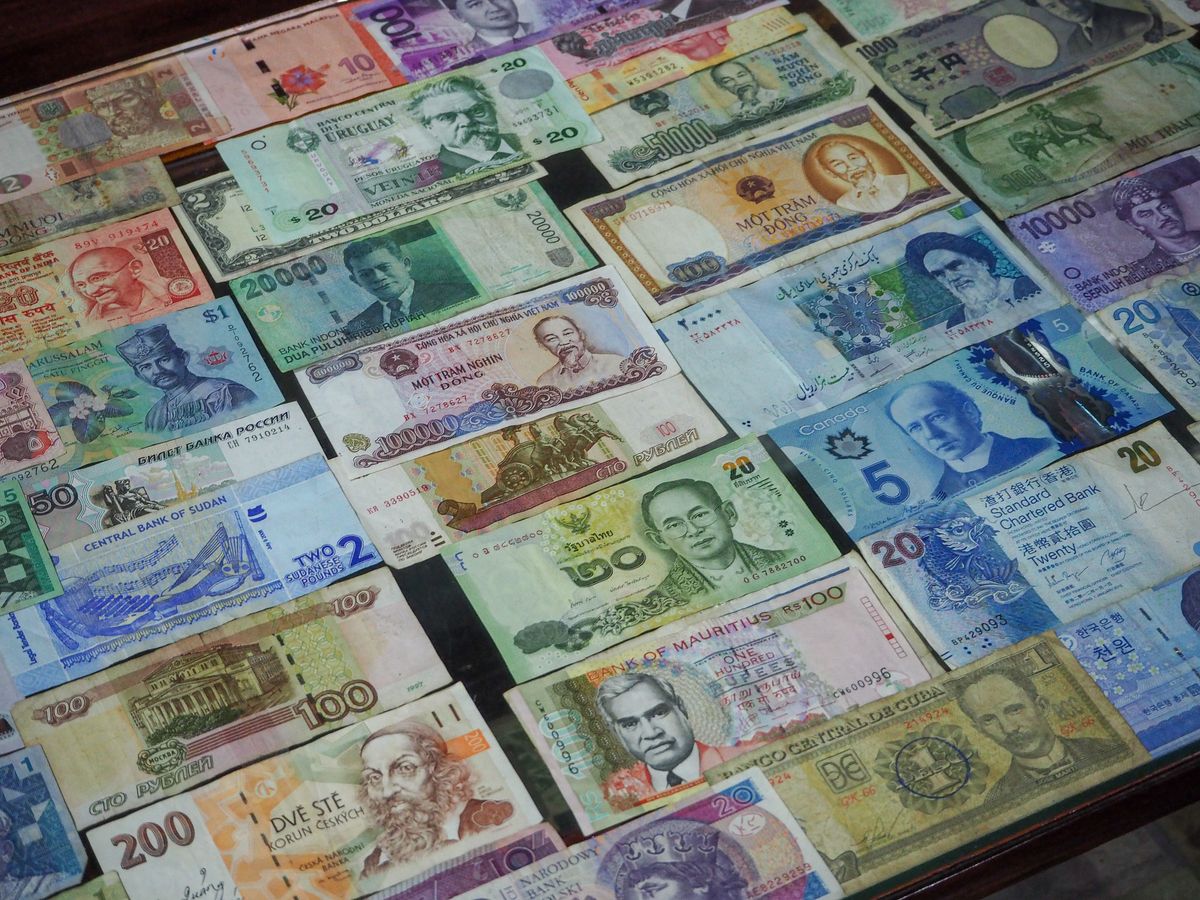
Xe
Xe shows live exchange rates and converts prices in seconds, so you know what that menu really costs. You can set rate alerts, and the app also sends money abroad.
Wise
Wise lets you hold and convert many currencies and pay abroad with its card. It uses the mid-market exchange rate and shows its fee upfront. You can spend or withdraw cash in more than 160 countries. What you can open depends on where you live.
Whatever you use, pay in the local currency when a card terminal asks, and plan cash withdrawals to keep fees down. Our guide on how to avoid international ATM fees explains how.
Safety and health apps
Your phone's emergency features
Before you need them, set up the emergency tools already on your phone. On iPhone, Emergency SOS calls the local emergency number and can alert your emergency contacts, and Medical ID shows your allergies and medical conditions on the lock screen. Android phones have similar emergency and safety features (Android Help: Get help during an emergency).
Official travel advice
Your government's travel advice is the most reliable source for safety, entry rules and local laws. Check it before you book and again before you fly, for example on GOV.UK foreign travel advice or travel.gc.ca for Canadians. Many countries also let you register your trip, like the Registration of Canadians Abroad or the US State Department's STEP program, so they can contact you in an emergency.
Timeshifter
Timeshifter makes a jet lag plan for your flight, based on your sleep pattern, chronotype and itinerary. It tells you when to seek or avoid light, when to sleep and how to use caffeine. Your first plan is free, then you pay per plan or subscribe. For more, read what actually works to minimize jet lag.
Stay connected: eSIM and messaging apps
Almost every app on this list needs mobile data: maps for live directions, ride apps to book a car, translation apps for the camera, and booking apps for your confirmations. If you rely on hotel or café Wi-Fi, they stop working the moment you walk outside.
SimOptions eSIM app
With the SimOptions app on iPhone or Android, you buy a travel eSIM for your destination, install it in a few taps and turn it on when you land. You keep your usual SIM for calls and texts, see how much data you have left in the app and top up when you need more. These eSIMs are data only, so you call and message over apps. Your phone must support eSIM and be unlocked. Step by step: how to install an eSIM.
WhatsApp lets you message and call over data or Wi-Fi, which is how many hotels, hosts and tour guides prefer to get in touch. To make your data last, download maps and languages on Wi-Fi and turn off video auto-play.
If you're heading to Europe, Asia or the US, a data eSIM gives your travel apps a connection from the moment you land, instead of paying your carrier's roaming rates.
Europe, Asia and USA plans shown · data-only eSIMs, no phone number · Find the eSIM for your destination
Set up your travel apps before you leave
- Download offline maps for every city or region you'll visit.
- Download the languages you need in your translation app.
- Forward your bookings to your planning app and check that everything is there.
- Install your airline's app and turn on notifications.
- Sign in to your ride and booking apps at home, where you can receive verification codes by SMS.
- Set up Emergency SOS and Medical ID or your Android emergency info.
- Install your travel eSIM on Wi-Fi and turn it on when you arrive.
FAQs
What is the best all-in-one travel app?
There isn't one app that does everything well. For booking, Booking.com, Expedia, Trip.com and Hopper cover flights, stays and cars in one place. For organizing what you've booked, TripIt or Wanderlog pull all your plans into one itinerary. Add a map app, a translation app and an eSIM for data, and you're covered.
Which app is best for planning a trip?
Wanderlog is a good free choice for building a day-by-day plan on a map, alone or with friends. TripIt is easier if you've already booked and just want your confirmations in one timeline. Tripadvisor helps you choose what to do with traveler reviews.
What are the best road trip apps?
Roadtrippers is made for road trips in the US and Canada, with stops and campgrounds along your route. Wanderlog lets you add unlimited stops for free and optimize the order. Google Maps handles multi-stop driving directions, and you can download the area for offline use.
Which travel apps work offline?
Organic Maps works fully offline. Google Maps works offline for areas you download, with driving directions but no transit. Google Translate works offline for downloaded languages. Wanderlog lets you open your trip plans offline. Flight and booking apps need data to update.
Which apps help with flight itineraries and mobile check-in?
Use your airline's app for mobile check-in and boarding passes. TripIt and Flighty keep your flights in one place and track delays and gate changes. TripIt's real-time flight alerts need TripIt Pro, and Flighty Pro adds earlier disruption alerts.
Are travel apps free?
Most of the apps in this guide are free to download. Some keep their best features for paid plans, like TripIt Pro, Wanderlog Pro, Flighty Pro and Roadtrippers' paid plans. Booking apps are free, and you pay for what you book.
Are ride-sharing apps safe abroad?
They're generally a safer choice than an unmarked taxi, because the driver, car and price are recorded in the app. Check the plate and driver name before you get in, share your trip, and use the app's safety tools. Use the local app if Uber doesn't operate where you're going.
Do travel apps need mobile data abroad?
Most do, at least for live updates, bookings and directions. You can reduce your data use with offline maps and languages, but a travel eSIM is the easiest way to keep them all working without roaming charges.